Claude Tag makes your Slack channel the access boundary

Anthropic launched Claude Tag yesterday. Drop it in a Slack channel, wire it up to Linear, GitHub, Snowflake, and others. Tag @Claude and it works through those systems and reports back in the thread. Teams can now use Claude in multi-player mode via Slack, while creating a multi-risk around over-permissioning and lack of traceability.
Claude’s Access vs Who Can Use It
Claude gets its own identity, like a service account, in every system, scoped per channel.
An admin connects Claude to a prod Snowflake instance by pasting in API keys. Everyone in that channel can now ask Claude to query Snowflake.
The access boundary moves to channels instead of users. Channel membership is loose. People get added for one conversation and stay. Teams reorganize. The incident engineer drifts into the sales channel. The hire who switched teams stays in the old one.
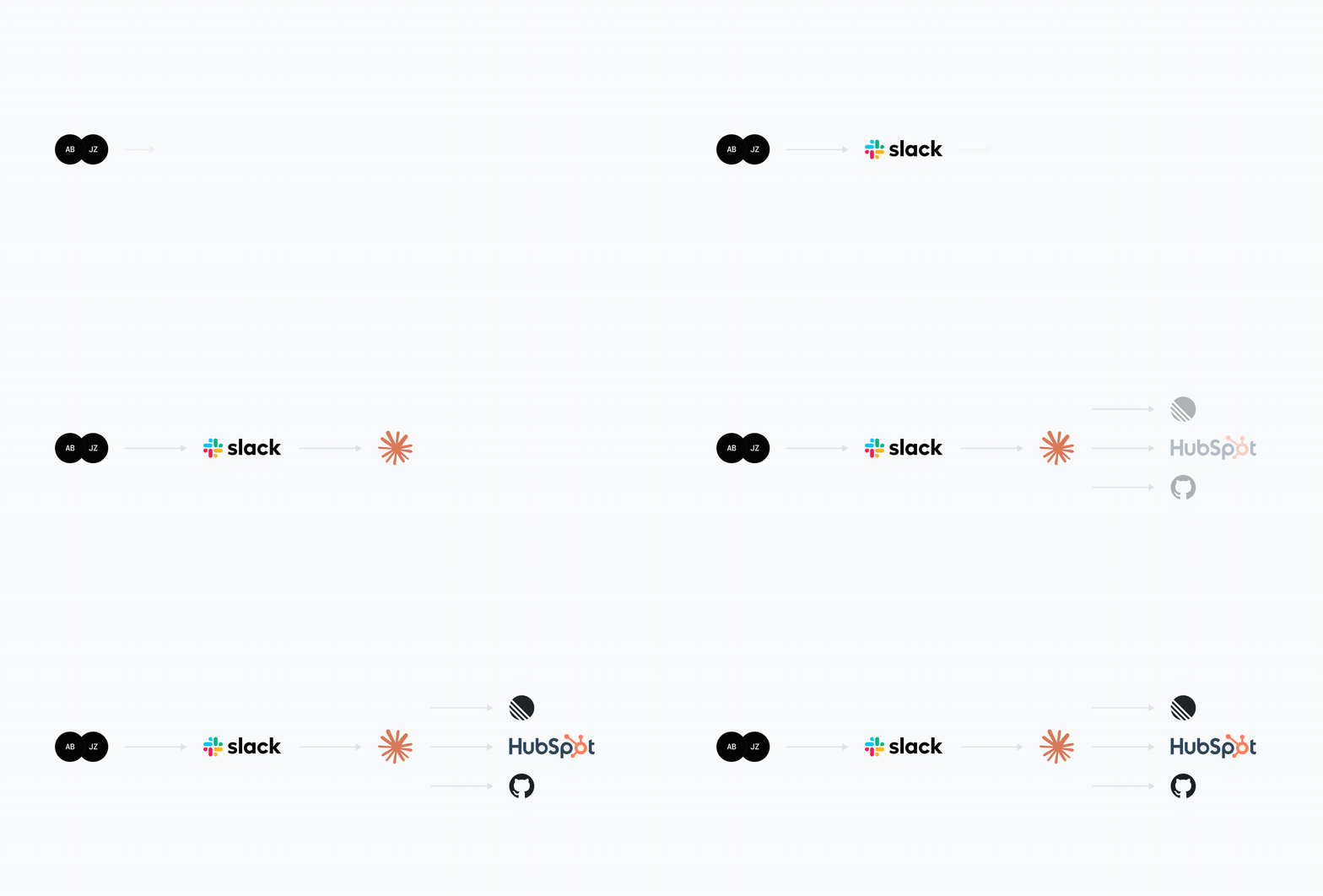
They can now ask Claude to access any tool the channel is connected to, even though they weren’t granted this access themselves. Permission systems are audited. Channel membership isn’t. It’s the confused deputy problem.
Anthropic did a good job using an agent proxy, because it prevents credentials from leaking. But that only protects the credentials themselves. It doesn’t control who gets to use them.
Where Attribution Breaks
Anthropic logs which user ran what in the console. In your GitHub or Snowflake, Claude’s identity shows up as the actor. A service account made the API call. Your audit and SIEM see one identity doing everything.
To answer “who did this?” you have to map Anthropic’s task log back to your systems. In ambient mode, where Claude acts without being tagged, some actions have no human behind them at all.
Ambient Mode Removes Human Approval
Ambient mode lets Claude monitor channels and act without being explicitly tagged. Claude detects patterns in conversations and takes actions autonomously. The risk: ambient mode has no built-in human-approval step before actions execute. Once Claude decides something needs doing, it does it.
Your audit logs show what Claude did and which channel member’s words triggered it, but not that anyone explicitly authorized the action. In interactive mode, someone tags Claude and sees the response. In ambient mode, Claude moves on its own.
For regulated workloads, this creates a compliance gap. You cannot document human authorization for actions that had none. Additionally, the audit trail excludes Claude’s reasoning and decision context. You know the action happened. You don’t know exactly how Claude decided it was necessary. This matters for incident response and for understanding whether Claude acted appropriately.
If You’re Rolling This Out
- Connect only the tools each channel should access.
- Keep Slack channel membership tight and audited. Channel membership is now a permission boundary.
- Don’t wire high-blast-radius systems into channels with loose membership. Prod warehouse, admin GitHub. These don’t belong in channels where people get added by accident.
- Be conscious about ambient mode. Claude acts without someone pulling a trigger.
- Import Anthropic’s task log into your audit pipeline. You need the mapping from Claude’s actions back to people.
What Should Change on Anthropic’s Side
- Add per-member controls inside channels. Being in the channel shouldn’t automatically grant access to every connected tool.
- Add agent hooks in the action path, like Claude Code allows. This lets security vendors enforce policies and monitoring.
- Expose initiator-to-action mapping to your SIEM and audit tools. Clearly mark ambient actions.